
Photo Retouching Outsourcing Process
to boost more sales for e-commerce business
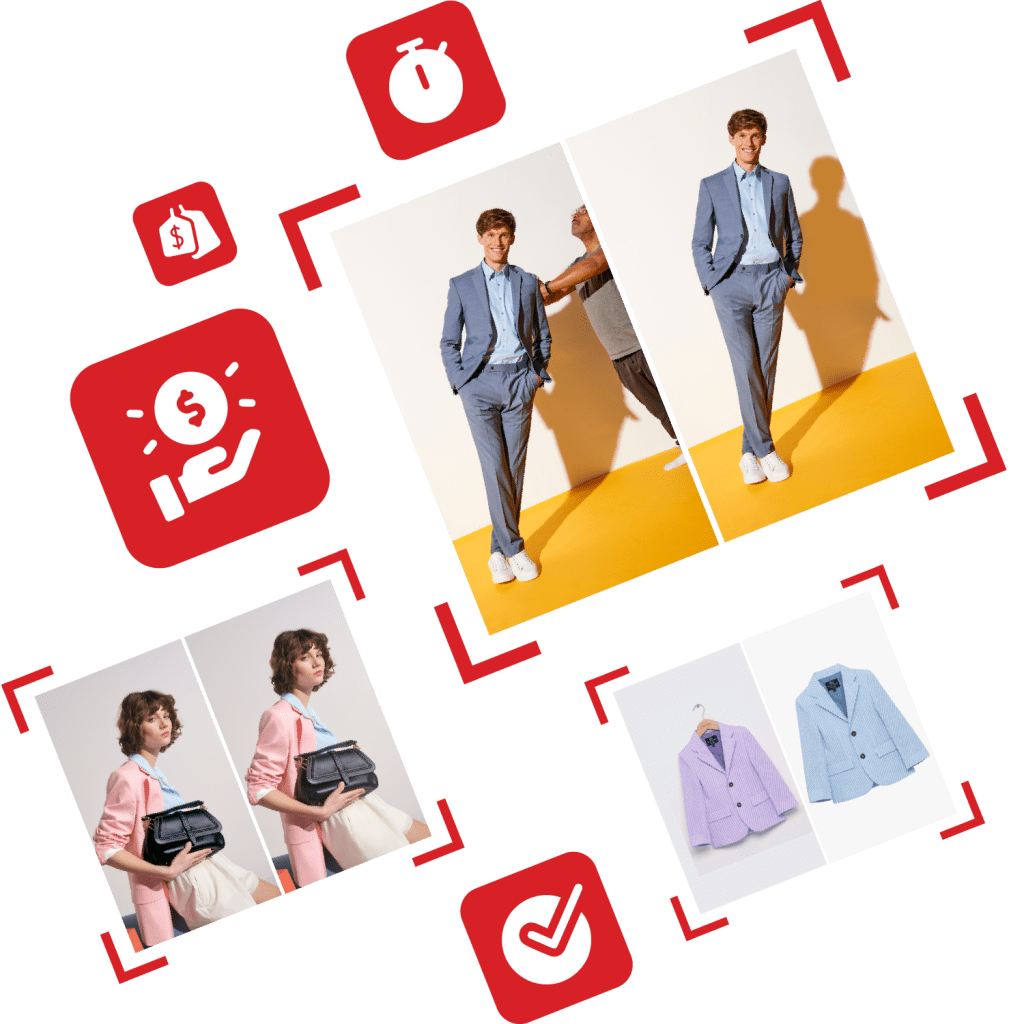
High-quality Product Display and its impact on e-commerce businesses
Find out in this session the factors that influence your buyers’ purchase decisions to optimize and have shoppers stay at your website. And get to boost sales from there.
What online shoppers hate
Here we go over buyers’ behaviors to see what they hate the most when they interact with e-commerce platforms and how can good product pictures increase sales.

Chart 1.1: What do online shoppers hate ?
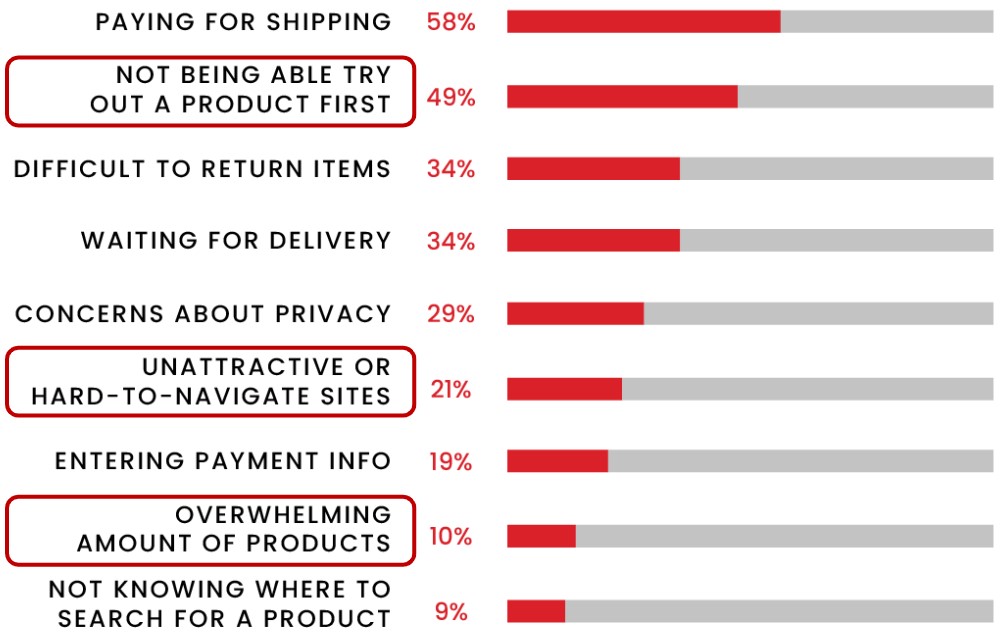
- Most noticeable is 58% from ‘Paying for shipping’. Most of the time shipping fees are reduced or exempted if the cart contains a substantial amount. However, people are not that willing to pay for the shipping fee and easily skip buying the products.
- 49% shoppers hate ‘Not being able to try out a product at first’. On e-commerce platforms or marketplaces, it makes sense that it is hard to try out an item as everything occurs online. If the same item happens to be found in a physical shop, shoppers can try it on and possibly find a better deal online afterwards. But either way, retailers need clear and high-quality images of the product to inspire and give customers confidence in their purchasing decisions.
- Can’t return or ‘Difficulty to return items’, and ‘Waiting for delivery’, if the product is abroad are the next things that shoppers hate. It usually takes more time although some platforms have premium accounts or faster delivery options, but you might need to pay a bit more for that.
- There are also some ‘Concerns about the privacy’ of the data. You don’t wanna be spammed, especially with newsletters, so that’s very understandable.
- 21% accounts for ‘Unattractive or hard-to-navigate sites’: Images need to be optimized to meet platforms or websites’ SEO requirements.
- Of course, ‘Entering payment information’ is always a stressful moment. 19% of shoppers feel uncomfortable with that.
- 10% of the hating factor is ‘Too many product images’. Admittedly, it’s confusing and overwhelming for customers to navigate the product. Therefore, only a few high-quality images with good angles are necessary.
- ‘Not knowing where to search for a product’ once you are on the website. This might relate to the unattractiveness of the website.

- Clear images
- High-quality images
- Product images in context or lifestyle settings

Optimized images

Only high-quality images of good angles
Product photos for e-commerce: Facts and Figures
Ever wondered why your online business doesn’t work? These statistics reveal the facts and figures that might bring you more perspectives about Product photos.


30%
of online buyers say that photo quality is the most important factor in an online sale

75%
of online shoppers rely on product pictures to make a decision

22%
of returns occur because the product looks different in person

40%
more likely to be shared on social media accounts

35%
Source: Adobe Experience Cloud, Buffer and True Value
Popular platforms’ requirements on product photos

AMAZON
This huge e-commerce platform has very strict and quite complex requirements for product display. However, with more shoppers turning to Amazon over Google as their starting points to find their products to buy, it is worth to learn and adapt to these strict requirements to get more sale opportunities.

- Product must fill at least 85% of the image and to be 1600px or larger on the longest side (Optimal)
- Images must not exceed 10,000px on the longest side.
- The format should usually be in JPEG (.jpg or .jpeg), TIFF (.tif), PNG (.png), or GIF (.gif)




They must not be blurry, pixelated, or have jagged edges to let customers have clear look of how your products look like in real life.

The product photo and even any visual on your page must follow Amazon’s trademark usage guidelines:
- Not alter the Badge;
- Not changing the proportion, color, font; or
- Not adding or removing any element(s) to or from the Badge.

Carefully check and revise your photos to make sure they do not contain nudity or be sexually suggestive. It would be a pity if your account is suspended based on platform’s regulations due to unawareness of unappropriate display.
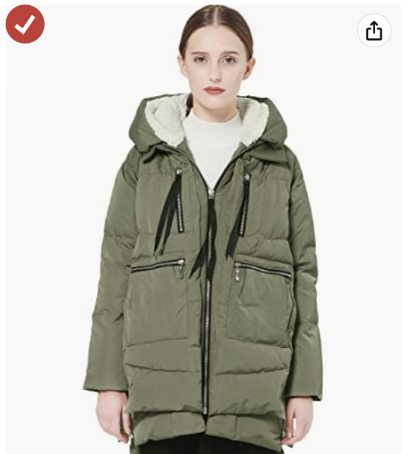
- Pure white background
- Must show the entire product

Must be professional
photographs of the actual product

Must not include text, logos, borders, watermarks, or other graphics
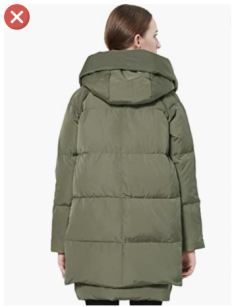
Must not include multiple views of a single product.
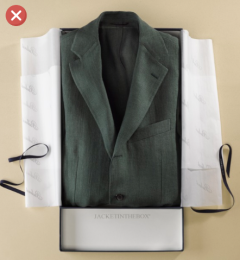
Must show products outside of their packaging

Must not show a human model that is sitting, kneeling, leaning or lying down
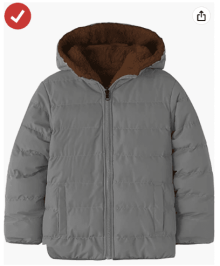
Multi-pack apparel items and accessories must be photographed flat

Clothing accessories must not show any part of a mannequin
SHOPIFY
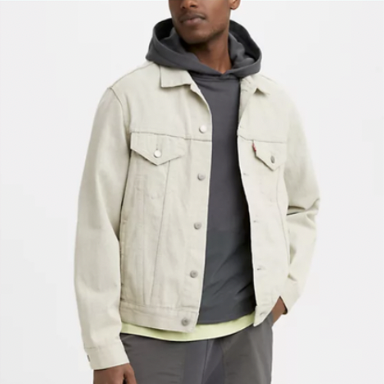
- Up to 4472 x 4472 px with a file size of up to 20 MB
- 2048 x 2048 px (optimal) for square product photos
- Keep the width and height aspect ratio of all your feature images the same

Square and vertical images are easier to reposition for smaller screens (mobile phone,…).
Image Format: JPG, PNG, HEIC, WEBP, GIF, TIFF



Product photos to be around 300 KB (optimal), max 20mb
SHOPEE & LAZADA

- We suggest that there should be 3 to 8 images with image size of 2000 px and 2000px (1:1 ratio).
- Format: JPG or JPEG

- Check whether the product is well-lit and properly focused in the pictures
- Ensure that the product occupies more than half of the picture’s space

- Use realistic pictures of the actual product
- Exaggerated product features or drawn illustrations are not encouraged
Product Page: 7 BEST PRACTICES
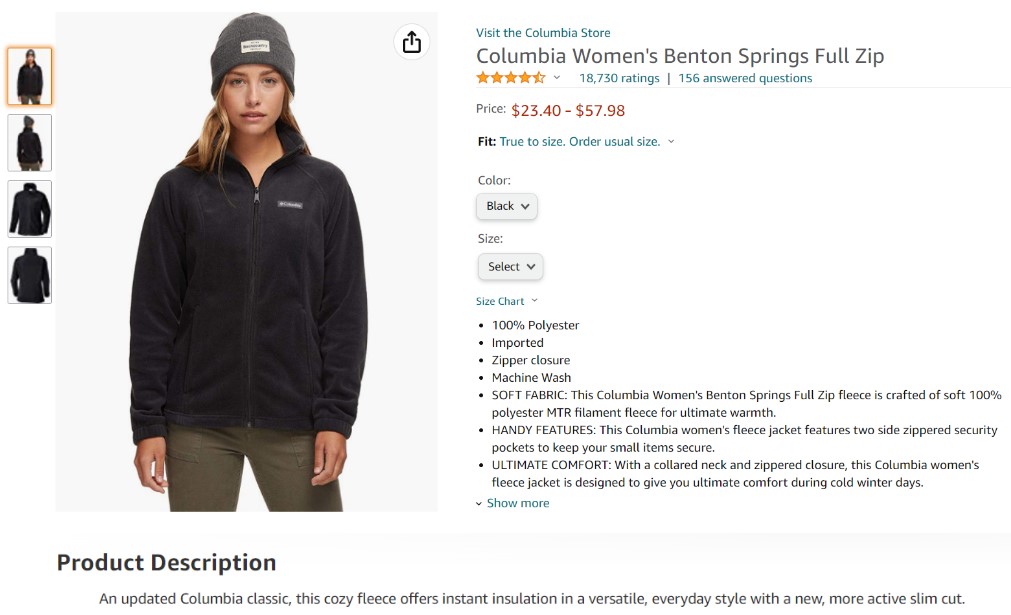

- Feature Images: The single most important element of ecommerce product page design is your feature image. This is an eye-level, mid- to long-shot that showcases your product. Polished, perfectly centered product image with a white or light background and soft or no shadows
- Gallery of product photos or carousel images. If your feature image successfully wins over your visitors, the next thing they are most likely to do is to browse your image gallery.
- Product overview: Title, summary of what the product does, its features, price, customization (color, …), the CTA -> All of which contribute to inspire visitors continue to dive in more.
- A thorough description might be trememdously helpful to buyers.
- A short description of the product, usually on the side or short product description.
- The overview with the title, the summary, where the call to action button is.
- The price
- Any customization features like Color, Size.
- Similar product suggestions known as one of the easiest way to upsell or cross-sell. You can have the same price range with different brands or having the same brand with different price ranges that always trigger the sale.


- Social reviews (stars, comments, feedbacks,…).
- Product reviews build trust, and that trust increases conversion.
Visual guidance or instruction if needed (video or e-brochure) if it’s a piece of furniture or a high-tech product. This helps build good impression on your customers, as well as get them to not be hestitant to purchase since they know how to use the product.
Product Page requirements
Feature Image
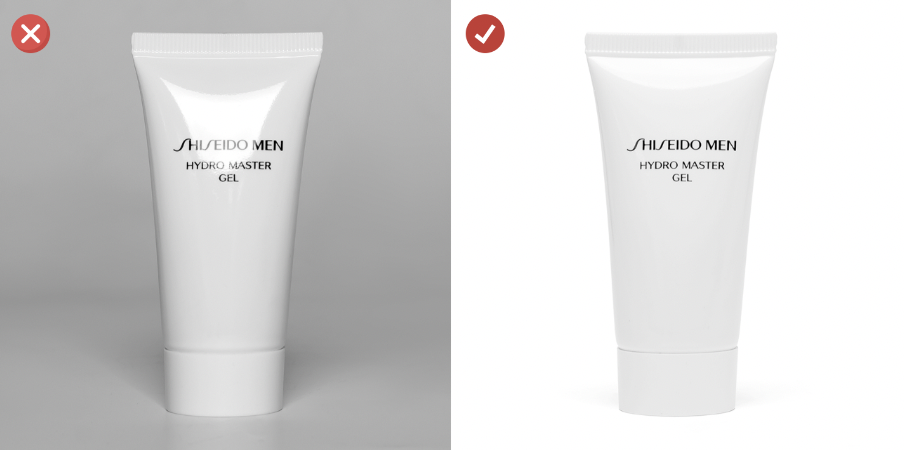
Polished, perfectly centered product image with a white or light background and soft or no shadows.
GALLERY OF PRODUCT PHOTOS

- Clean-cut, showing your product from all relevant angles
At least one or two in-context or lifestyle images to invite an emotional response from your customers
Even add a 360-degree shot or a video
SIMILAR PRODUCT SUGGESTION

Consistent branding and product retouching quality & style
EFFICIENT POST-PRODUCTION PROCESS: WHAT’S INSIDE?
As we are a prestige outsourcing service provider, our Post Production Services process is efficient to meet requirements of large and fast-scaling e-commerce businesses. We introduce you the services in detail, our Requirement/ quality checklist, our Service Model and our 24-hour delivery process so that you can figure out what really help you to outsource these kinds of services efficiently.
REQUIREMENT/ QUALITY CHECKLIST


Job name
For each job, there are many folders (client’s type of products, type of edit, difficult levels, etc.)
Number of images
Self-explainatory, plus there is a total images excel math calculation at the end for easy report count.
File format
Depends on client’s requirements on witch platform that they prefer RGB is for viewing on PC, phone, etc.
- CMYK is for printing;
- JPG, PNG are standard image file types as we can see everywhere online;
- TIFF, PSD are advance image file types (which contain layers that could be modify in photoshop by client).
- Keep all layers prefer to TIFF and PSD, in case client wants to adjust things by themself later on.
Background
Most of our client’s JO requirements are about background-related work.
Keep original background
Don’t alter it, normally they are easy JO/ focus more onto edit the subject/model
Separate background/ transparent
For e-commerce/ ghost mannequin images, the product needs to be floating.
Seamless/ Extend background
Mostly for model shots, our clients want the model appears to be in an infinite background.
Additional needs (Self-explainatory)
We will put other small requirements from clients here for easier checklist
Retouching Notes
Note from our clients to retouchers for specific images/ points to notice during the retouch process.
Job Forder Location & Notes
Since we are using Dropbox, Google Drive and a private storage server to handle images, a reminder is very much needed in case our clients lost their images.
Photo Editing Quality Control: Guides and showcases
In this session, we showcase our capability to achieve our client’s expectations for their product’s image. 6 main services of photo retouching are showcased on popular product categories like Fashion, Beauty and Accessories.
It is also helpful that you can visually see how professional services can improve your product photos to best suit your e-commerce business needs.

Background removal
With standard background removal, the subject is precisely and carefully separated from the background using advanced AI selection tools.
The selection of flyaway hair, fur, or small details could be done by using a deep etching technique, ranging from simple to complex background.

Clipping path
We deliver handmade Clipping paths using Photoshop Pen Tool to have the best outputs.
With a simple clipping path, the model is precisely pathed for future post-production usage.
With an advanced clipping path, the skin, face, suit, waistcoat, and trousers all are carefully clipped.

Photo Enhancement
With a high-end retouching process, our service helps bring out the details in the model’s eyes, clear unwanted flyaway hair, and professionally flawless skin retouch without damaging the skin’s natural texture.
Our jewelry photo enhancement service includes color correction, gemstone enhancement, create realistic reflection, and last but not least background replacement.

model retouch
We adjusted the color of the products to instructed Pantone colors.
Same with model images, we can adjust the color of the clothing, brighten up the background, and correct the image temperature.
In another example, we combine color matching and advanced selection to precisely adjust the color of the dress.

GHOST MANNEQUIN
Along with E-commerce retouching, ghost mannequin is the most requested job order for Innovature’s Post Production Services because of the large demands from the clothing industry.
We can turn your normal clothing product with a mannequin into a 3D floating one.

E-COMMERCE
We will fix your raw images to the standard of any online shopping platform. All raw images sent to us will be transformed to meet the standard of Amazon, Etsy, eBay, you name it.
The process includes dust/scratches removal, imperfection removal, pure-white background, and standard dimension crop.
BOOST YOUR SALES up
to an extra 35% ON THIS YEAR-END'S CAMPAIGN
Enjoy 20% discount on your first order with us*.
* Applied with conditions. Contact us for more information.

